Some ISUDAR module users have reported that Siri's volume is too low while using CarPlay/Android Auto. So, how can you adjust Siri’s volume without affecting the overall volume? 🤔
The key to this is understanding how Siri’s volume works. Its base volume is controlled by your iPhone. Just follow these simple steps to fix the issue:
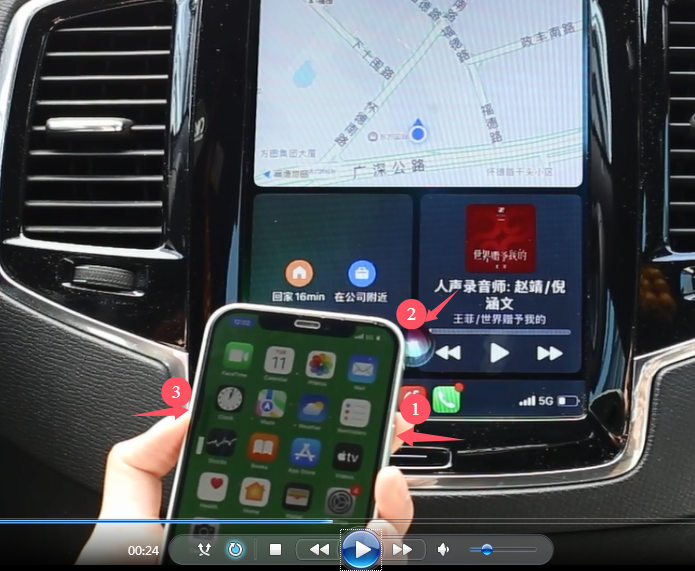
Note: The Siri icon must appear on CarPlay, and the volume adjustment should be done at the same time for it to work. If done correctly, Siri’s volume will increase without affecting the overall system volume. 👍